
Transferring a site from one hosting to another, or creating a backup copy, is a responsible process. This process often requires maximum concentration, even for the most experienced developers. Of course, during the work, tasks may vary, but in order to perform the work efficiently, you need to have the full range of knowledge and the necessary resources. Fortunately, there are tools that facilitate the above-mentioned process. One of the most popular and convenient tools for performing the above-mentioned task is the Duplicator plugin.
Duplicator is a plugin that is used for convenient and easy migration of WordPress sites. It is also used to create reliable backup copies or clone a site for further placement. In this article, we will look at how it works, what are the advantages of its use and how to use it in general.
Duplicator Plugin – Main Features
Before we move on to the list of the main features of the plugin, it is worth noting the key terms that will be mentioned below. This is important for a full understanding of the context and future use of Duplicator.
- WordPress is an open source content management system. This system is one of the most popular, as it has found wide application in creating websites, due to its ease of installation and convenience for many developers. WordPress is used from blogs to simple websites.
- A site backup is a copy of data that was previously created for recovery in case of loss of the original data. Regularly copying the content of the site is an important process, because data loss can cause serious difficulties.
- CMS (Content Management System) – is software that is used to organize websites, or other information resources. There are many CMS systems available, one of which is the CMS WordPress, which we mentioned above.
List of functions
So, we have familiarized ourselves with the important definitions, so we can smoothly move on to the main functions of the Duplicator plugin. This tool is multifunctional, therefore it greatly simplifies the management of WordPress sites. We would like to note that due to its versatility and ease of use, it is perfect for both beginners and experienced specialists in the niche.
Site migration to a new server
The first and key function of the plugin is to transfer a WordPress site from one hosting to another, this function can also be called site migration to another hosting. This also includes changing the domain name without the risk of data loss. This process includes moving all site files, migrating the database with saving all records and settings, and adapting the site to the new environment.
Backup
The Duplicator plugin allows you to create backup copies of the site, which include all WordPress files, the database, and settings and configurations. We want to say that this is a fairly convenient solution for creating backups before updating the site, making significant changes, or in case of technical problems.
Site Deployment
If you want to deploy a site on a new platform, then this plugin will help you a lot. It greatly simplifies this process and is a useful option for developers who create projects locally and then deploy them on networks.
Backup Process Automation (PRO version)
It is also worth mentioning the PRO version, because it also deserves attention. Although the free version perfectly performs all the necessary functions, the paid version still has its advantages. If you purchase a better version, then the automatic backup function will be available to you. This means that you can set up regular backups on the desired schedule, store a backup of your WordPress site in cloud services. You will also have the opportunity to receive notifications about successful backup creation.
Ability to migrate large sites (Pro version)
Speaking of the PRO version of this plugin, we also want to note that it supports migrating large sites, while the free version has its limitations.
Site cloning
The ability to clone sites is another useful feature available using the Duplicator plugin. It allows you to create exact copies of sites for deploying test environments. A logical question arises in which cases we need it. For example, you want to test new features, plugins or themes without the risk of damaging your live site, or you are checking WordPress updates in a safe environment. This way you do not risk your own resources.
How does the Duplicator plugin help with site migration?
In our opinion, Duplicator is a powerful tool for migrating, backing up, and cloning WordPress sites. The site migration process is greatly simplified, thereby making the work of specialists easier. So, the plugin helps in the following ways:
- A specialist uses the plugin to create an archive containing all your site files and database. This archive, along with a special installation script, is uploaded to the new server.
- The next step is to run the installation script on the new hosting. It automatically unpacks the archive and configures the site. In the process, ensuring its correct operation in the new environment.
What situations require the use of a plugin?
- The first and obvious point is a change of hosting. When you need to transfer a site to another hosting, Duplicator can be a guarantor of a successful, simple and safe option for how to migrate a site, without the risk of losing data.
- For one reason or another, site owners may want to change the domain name of the site. To do this correctly and without the risk of encountering troubles in the future, you should use this plugin. It will help to correctly transfer all data and settings to a new domain. We would also like to note that when transferring a site from one domain to another, page addresses automatically change.
- Backing up a WordPress site is another situation in which you will need a plugin. Duplicator allows you to create full backups of the site, which is very important, because in this way you are protected from data loss in the event of technical failures or other unforeseen situations.
- Cloning a WordPress site is also available using this plugin. As we mentioned above, it can be used to test new features.
Duplicator Site Migration Guide
We have prepared a step-by-step guide to help you better understand what needs to be done to make your site migration successful and easy. Follow the steps below, and you will definitely be completely satisfied with your work.
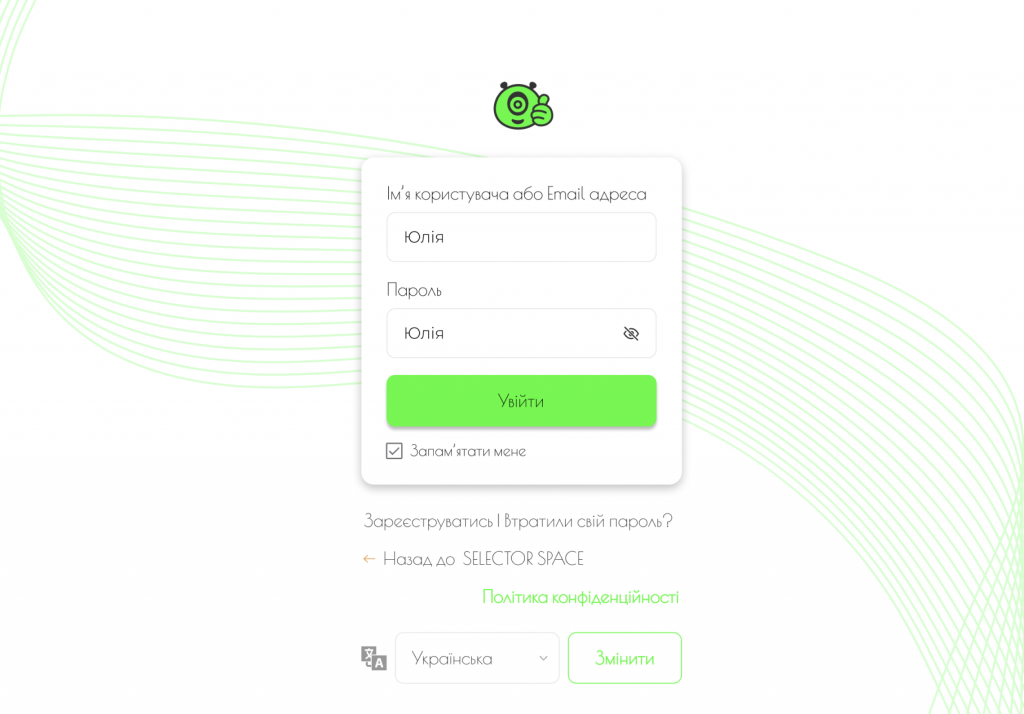
- You need to log in to your WordPress site’s admin;
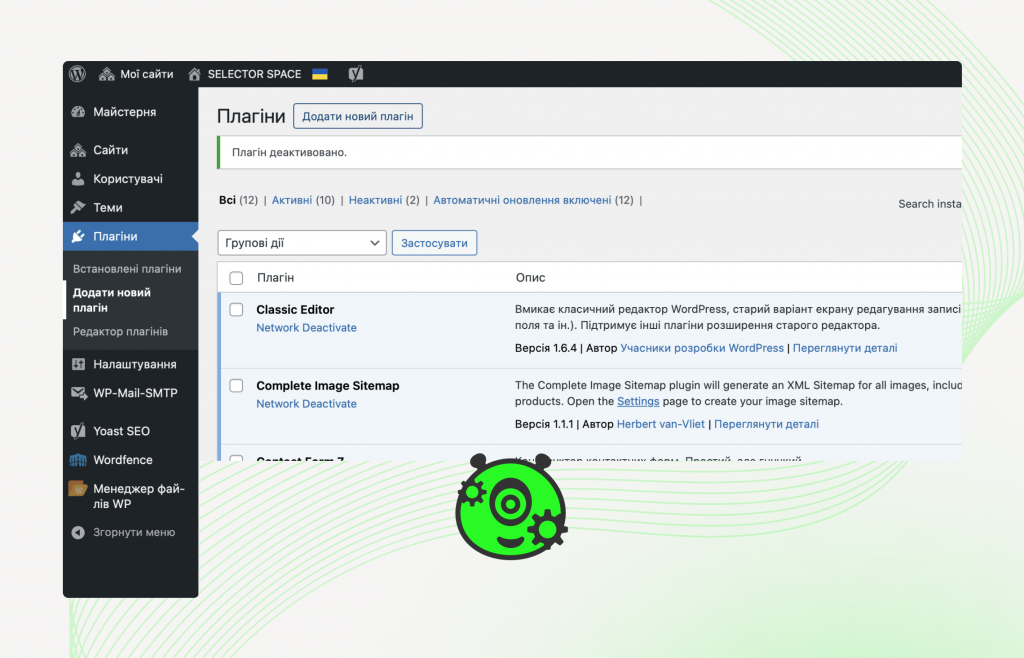
- In the side menu on the left, select Plugins → Add new plugin;
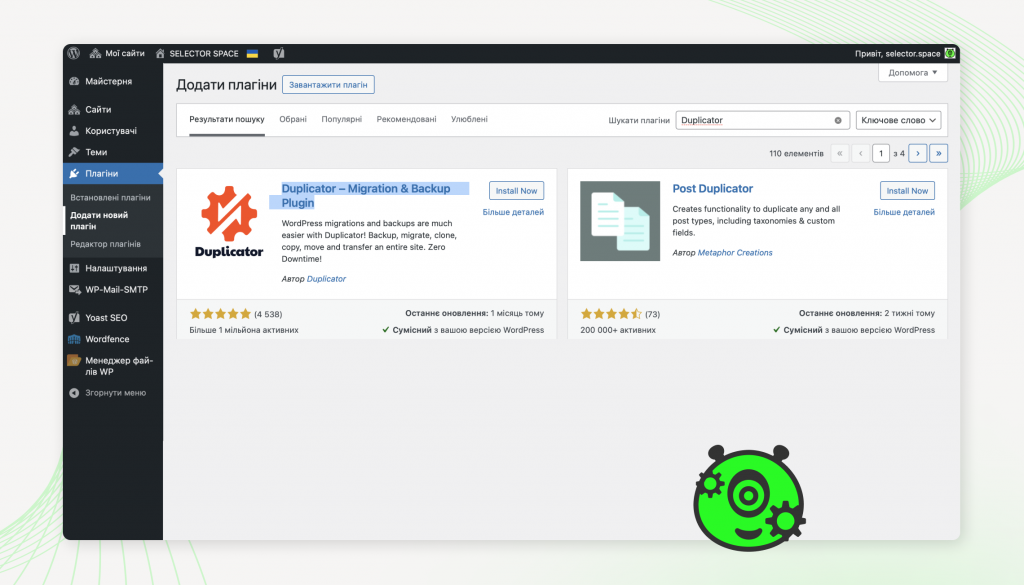
- In the search, type “Duplicator”
- You will see a card with the found plugin, click on “Install now”;
- After the installation process is complete, click “Activate” to activate the plugin on your site. Now you can use the plugin.
Instructions for creating a backup copy of the current site
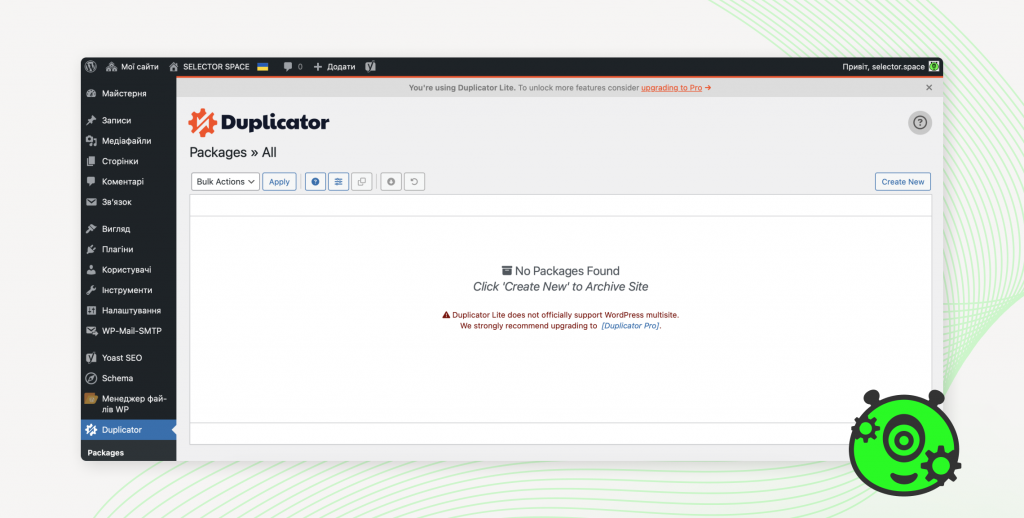
- Go to the WordPress admin panel via Duplicator → Packages;
- On the page that opens, click the “Create New” button;
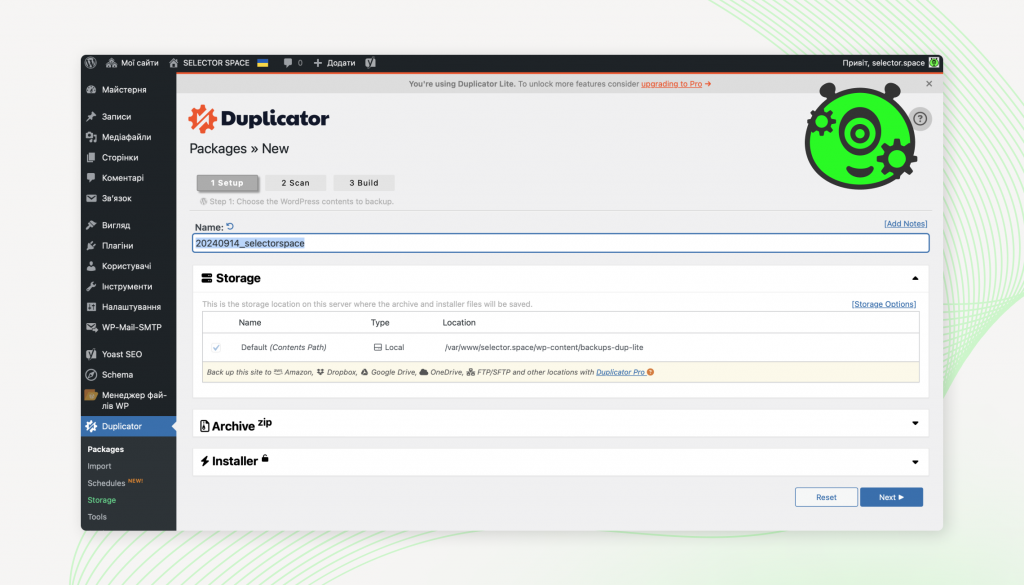
- In the “Name” field, enter an arbitrary name for the archive;
- Click the “Next” button;
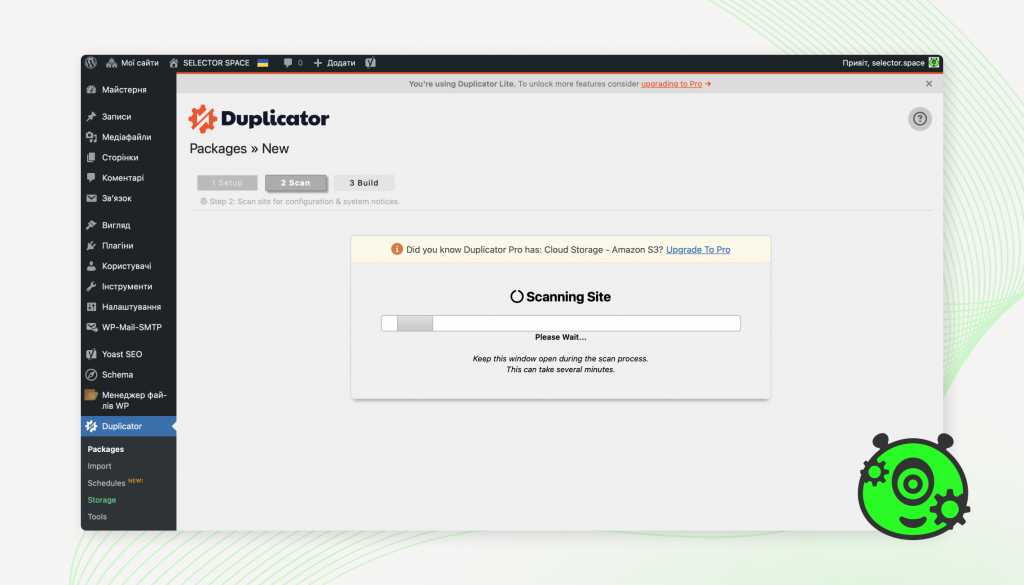
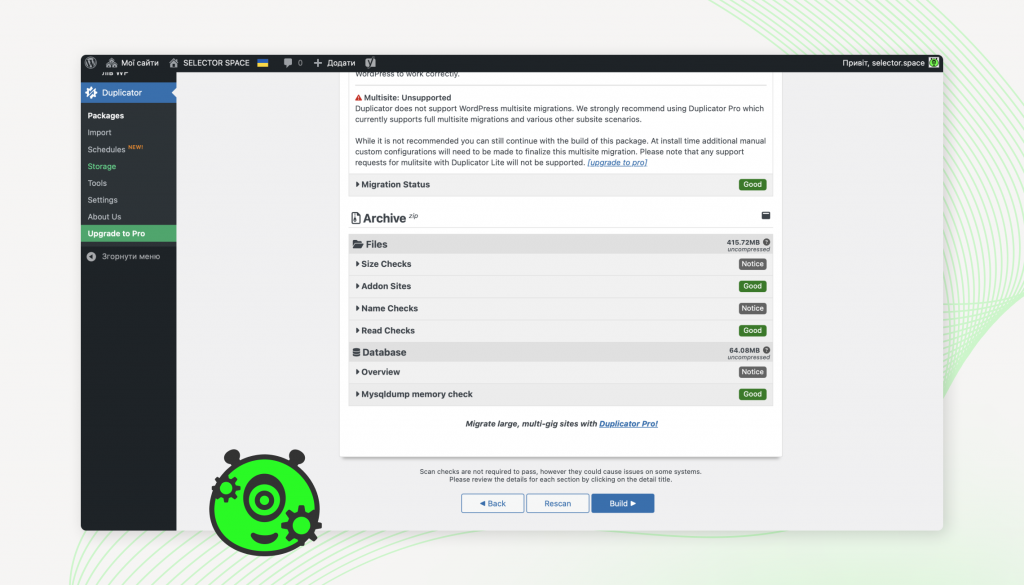
- After scanning the site, check the box “Yes. Continue with the build process!”;
- Click the “Build” button;
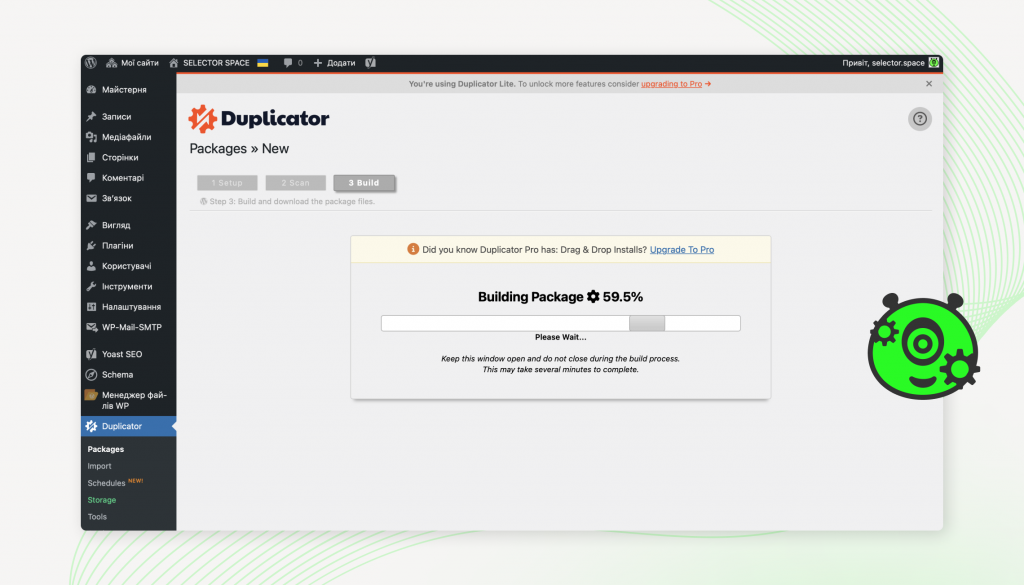
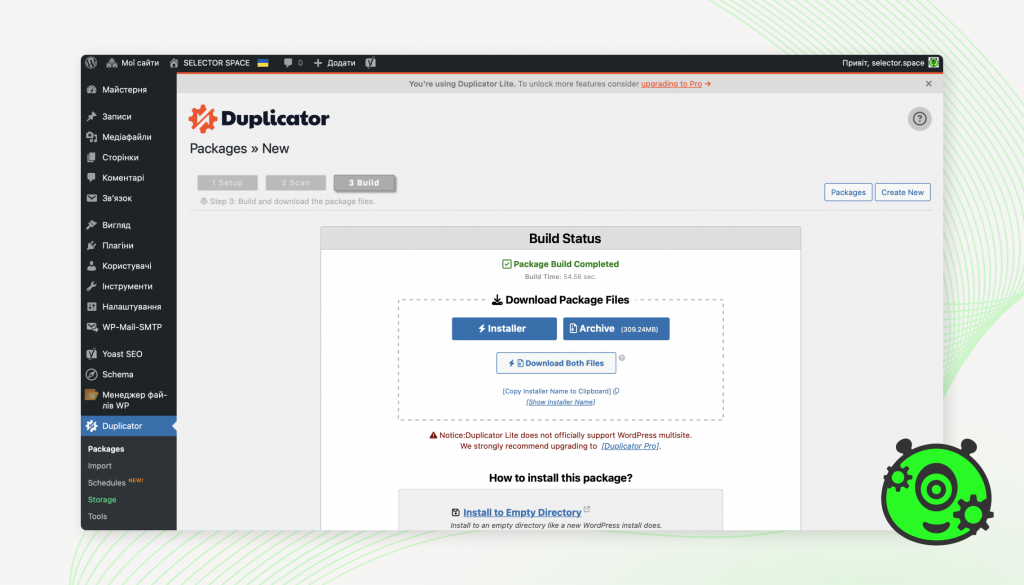
- You need to wait for the archive creation process to finish;
- Download both received files (we recommend downloading 2 files separately).
Instructions for restoring from a backup on the desired hosting and domain
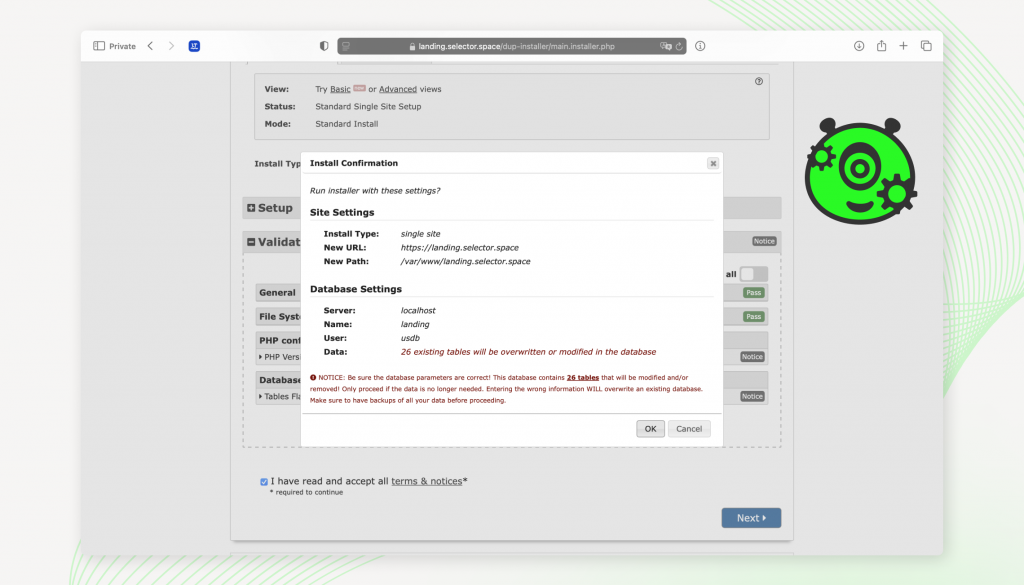
- Copy the received files to a folder on the desired hosting;
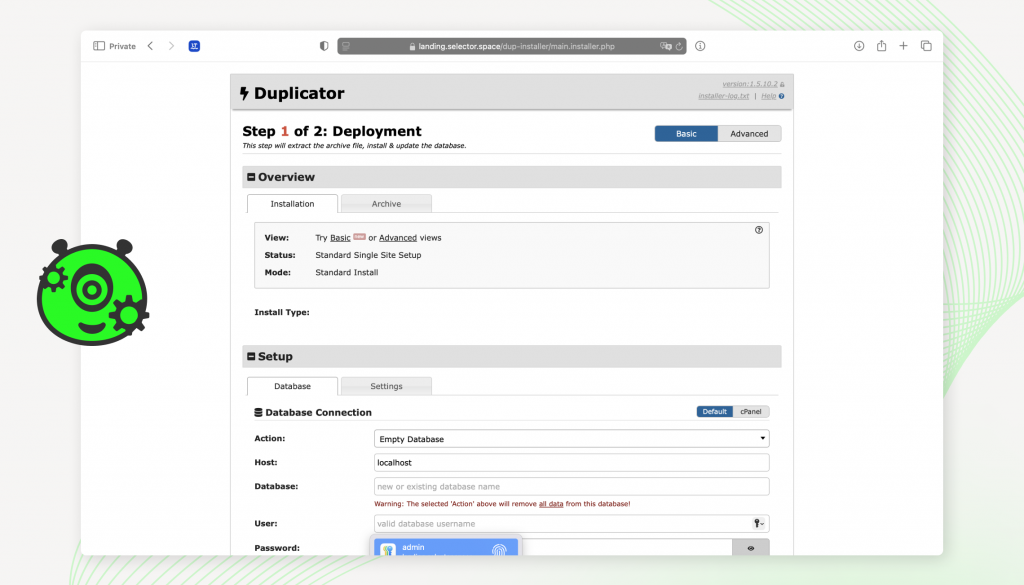
- Open the following address in the browser – https://address_of_the_desired_site/installer.php;
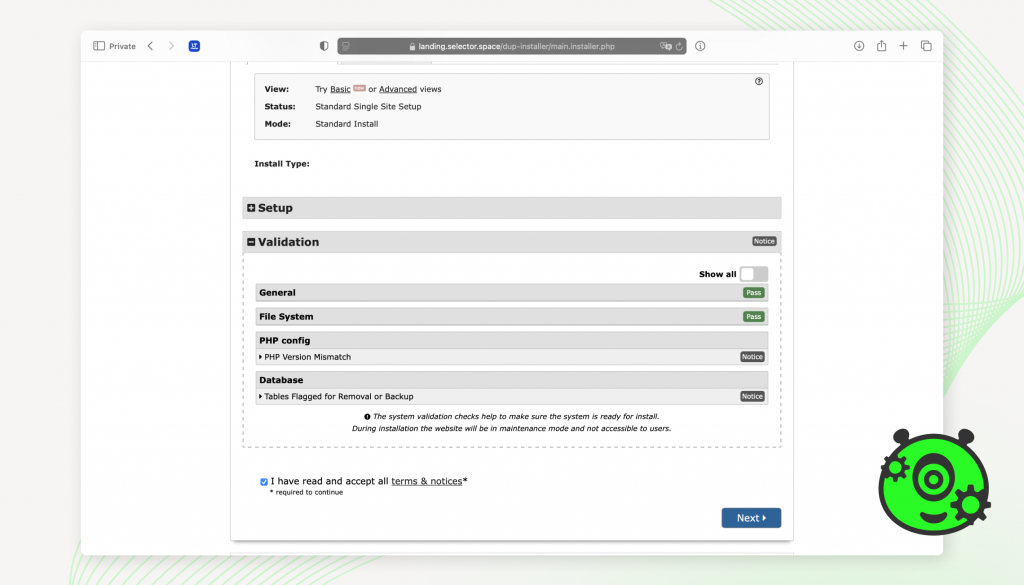
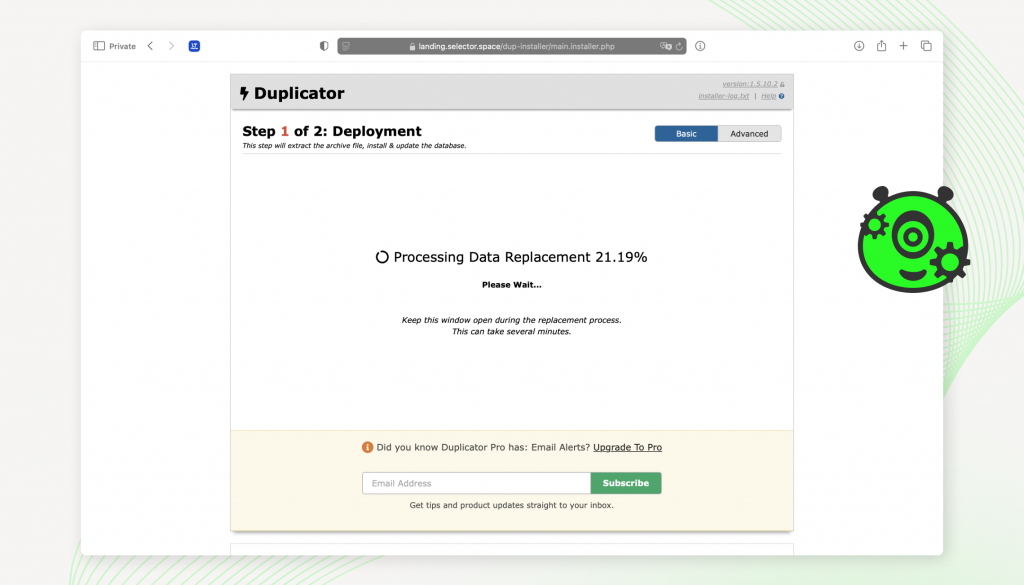
- Using the assistant’s prompts, fill in the data for connecting to the database on your hosting;
- Wait for the unzipping procedure to complete;
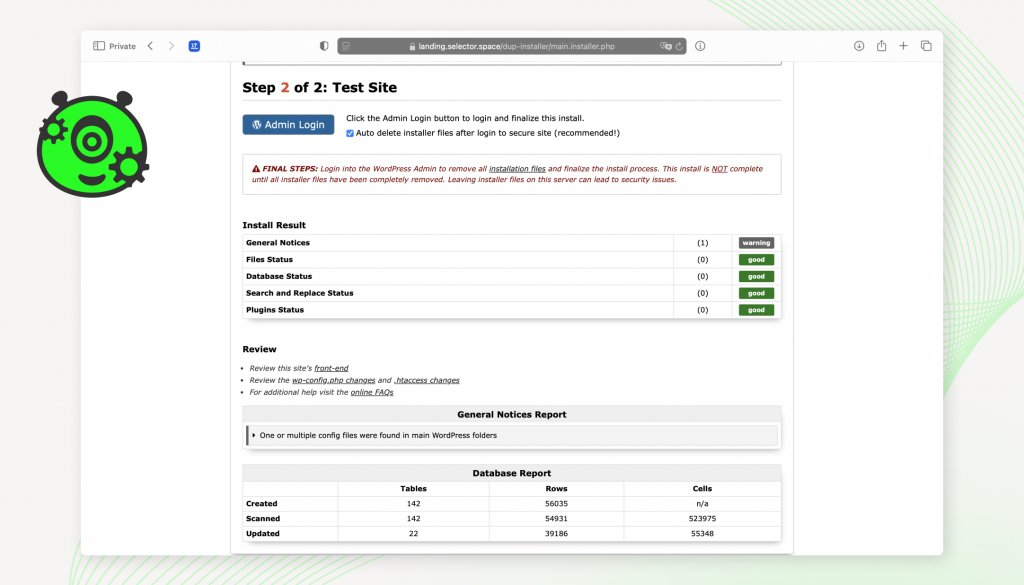
- Go to the site admin using the suggested assistant button “Login”;
- To log in, use the login and password that you used on the previous site (from which the duplicate is made).
Duplicator plugin – advantages of use
- Easy to use, both for beginners and professionals. This plugin has an intuitive interface, thanks to which even a person with minimal experience will be able to quickly create a backup or transfer a site. The entire setup process is clearly divided into stages and is accompanied by prompts.
- The plugin allows you to create a backup of the entire site along with the database. Thus, you can save an incomplete backup of your project. It can later be used to restore the site in case of unforeseen situations.
- When migrating a site to a new domain, Duplicator automatically changes all URLs. This significantly saves the web developer’s time and eliminates the need to manually edit the database.
- One of the significant advantages is that the free version of the plugin is enough for basic operations. The free version allows you to perform functions such as creating backups, transferring sites, and restoring from backups.
- The PRO version of this plugin allows you to back up and migrate networks of WordPress Multisite sites, which is useful for companies and web developers working on such projects.
SELECTOR.SPACE
We hope that this article will be useful for you, and you will be able to fully understand how to use the Duplicator plugin. If you want to seek help from professionals, we will be happy to provide you with advice and help you solve this issue. Our team also provides other services, such as website development, website design, SEO optimization, website promotion and much more. Contact us at 066 389 02 24, 096 81 00 132 or office@selector.space.