

Google Search Console is your main assistant in working with your website’s search visibility. This tool gives you a clear understanding of how Google sees your resource: which pages are indexed, which queries users find you by in search results, and which technical issues need immediate correction. Systematic work with GSC allows you not only to diagnose existing errors, but also to form an effective promotion strategy.
Imagine that you have your own store. You spent a lot of time creating a website, sorting through website templates, and maybe even outsourcing the entire web development to buy the website of your dreams. You invested in the website design and filled the shelves with products. But there are no customers. Why? Because your store is hidden somewhere in a dead-end alley where no one goes.
Your website is just like that store on the internet. And Google Search Console (GSC) is your personal assistant that not only shows you where you are on Google Maps, but also gives you the tools to get to the main street, put up a sign, and even see how many people walked by before going inside.
If you want your website to be found, you need to be friends with this tool. We will tell you how, in detail and step by step.
What is Google Search Console, and why do you need it? More than just reports
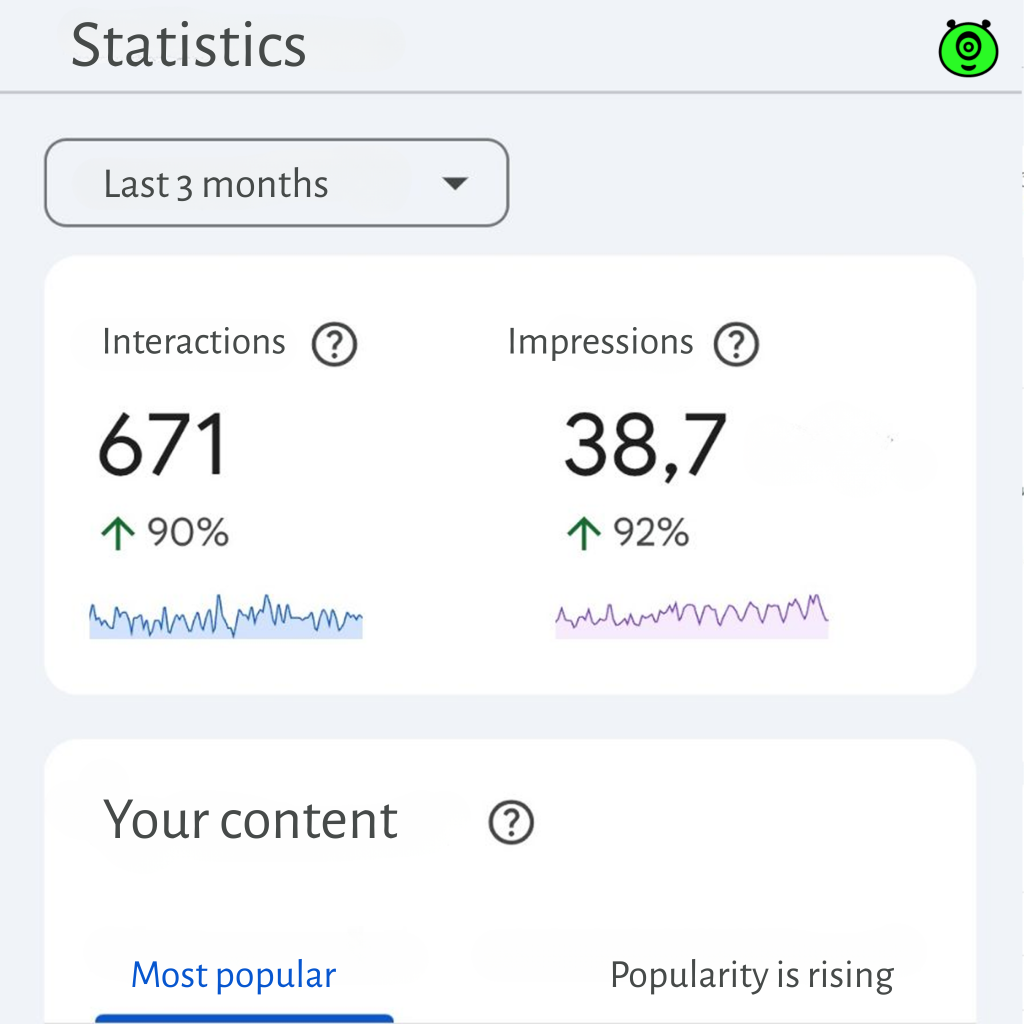
GSC is a free tool from Google for webmasters, developers, and anyone who takes their online presence seriously. It is a direct channel of communication with the search giant. It gives you a detailed report on:
- Whether Google even knows about the existence of your site and all its pages.
- What exactly people are searching for that brings visitors to you.
- What technical errors are preventing your site from being visible.
- How your site looks and “feels” on mobile devices.
- Whether anything important has broken since the last update.
Without GSC, you are working blind. This is especially critical after the initial stages of website creation, when the site has just gone live. You won’t know if it has passed the initial indexing or if everything is technically okay. Any SEO promotion of a website starts with the deployment of GSC. It is the foundation without which all further efforts may be in vain.
First steps: add a website and confirm your rights. A solid foundation
This is the basis of the basics. The process is not complicated, but it requires attention.
- Login and select the type of resource. Go to search.google.com/search-console. You will be offered two options: “Domain” or “URL prefix”. In most cases, especially if you have just finished creating your website, it is better to choose “URL prefix”. This is a universal method that allows you to track data for a specific protocol (HTTP/HTTPS) and subdomains. Just enter the full address of your website.
- Confirm ownership of the site. Google needs to verify that the site is indeed yours. There are several methods. The easiest for non-technical users is to add a special HTML tag to your site. If you don’t know how to do this, you will need the help of a developer or the person you hired to build your site. An alternative is to verify through Google Analytics 4 (if it is already connected) or by uploading a special HTML file to your website’s server.
After successful verification, your website will appear in the list of resources. Congratulations, you now have a direct connection to Google!
Section 1: in-depth coverage analysis using Google Search Console
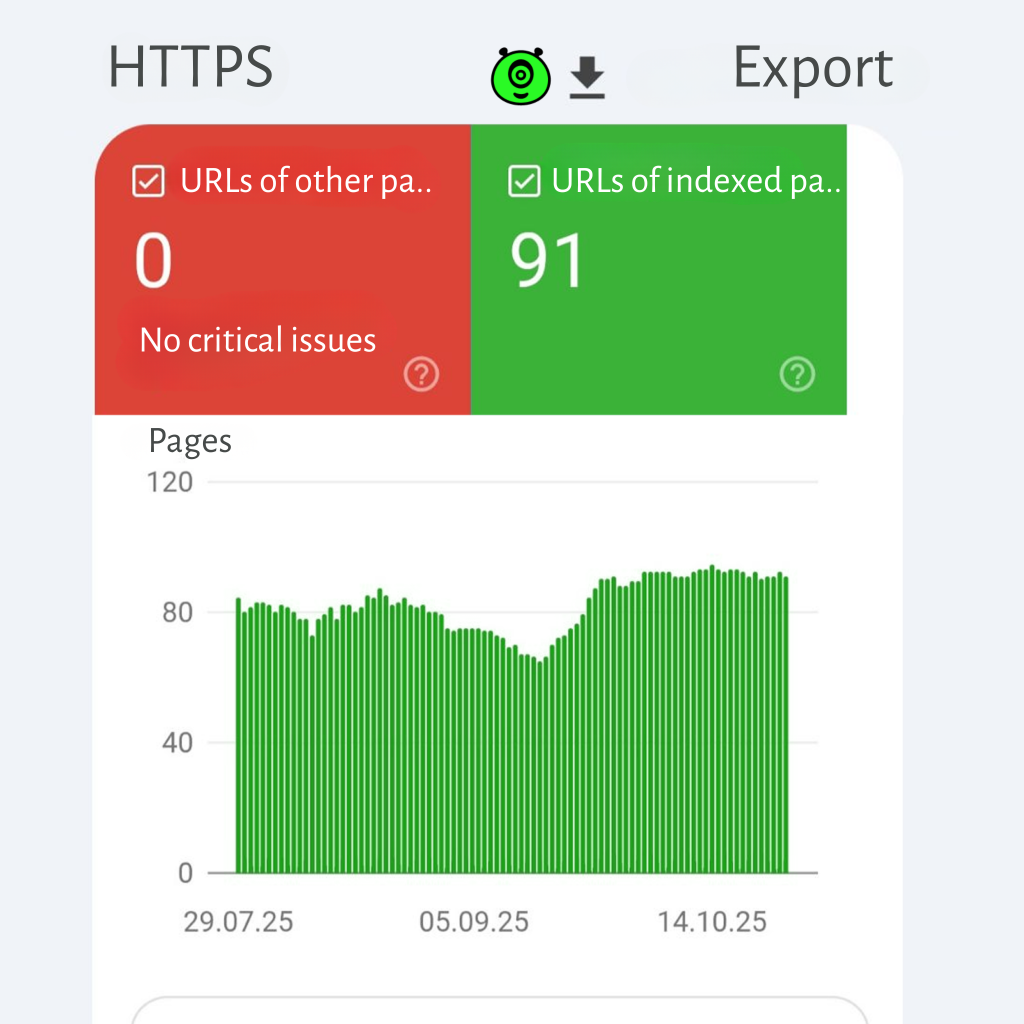
The first thing to do is to make sure that Google knows about all your important pages and isn’t wasting resources on things that don’t need to be indexed. To do this, go to the “Index” section, then “Coverage”.
This report is your main diagnostic tool. It shows all the pages that Google has tried to index and all the problems it has encountered.
- Errors: these are the most critical issues that block indexing. For example, pages that cannot be found (404 error). If you see a URL here that should be there, check that the links to it from other pages on the site are correct.
- Valid with warnings: these are not critical, but require attention. The most common case is “indexed, although prohibited in robots.txt”. Carefully review your site’s robots.txt file. You may have accidentally blocked access to important sections.
- Valid: these are your successes. All pages that have been successfully added to the Google index.
- Excluded: pages that Google has deliberately decided not to index (e.g., duplicates, pages with a noindex tag, pages with low-quality content).
What should you do in such situations?
Imagine you have added a new section to your blog. A week later, in the Coverage report, you see 10 new “Page not found” errors. You click on the report and see that it is a link of the type https://site.com/blog/new-article/. You check it out, the article at https://site.com/blog/new-article opens. The problem is an extra slash at the end! Someone put the internal link in wrong. You fix the link, and after a few days, the errors disappear. This is what working with the tool is all about.
Check this report regularly. Correct errors and analyze warnings. The goal is to reduce errors to zero and maximize the number of valid pages. This is fundamental work, the SEO optimization of which consists in the technical convenience of the site for search engines.
Section 2: strategic performance analysis using Google Search Console
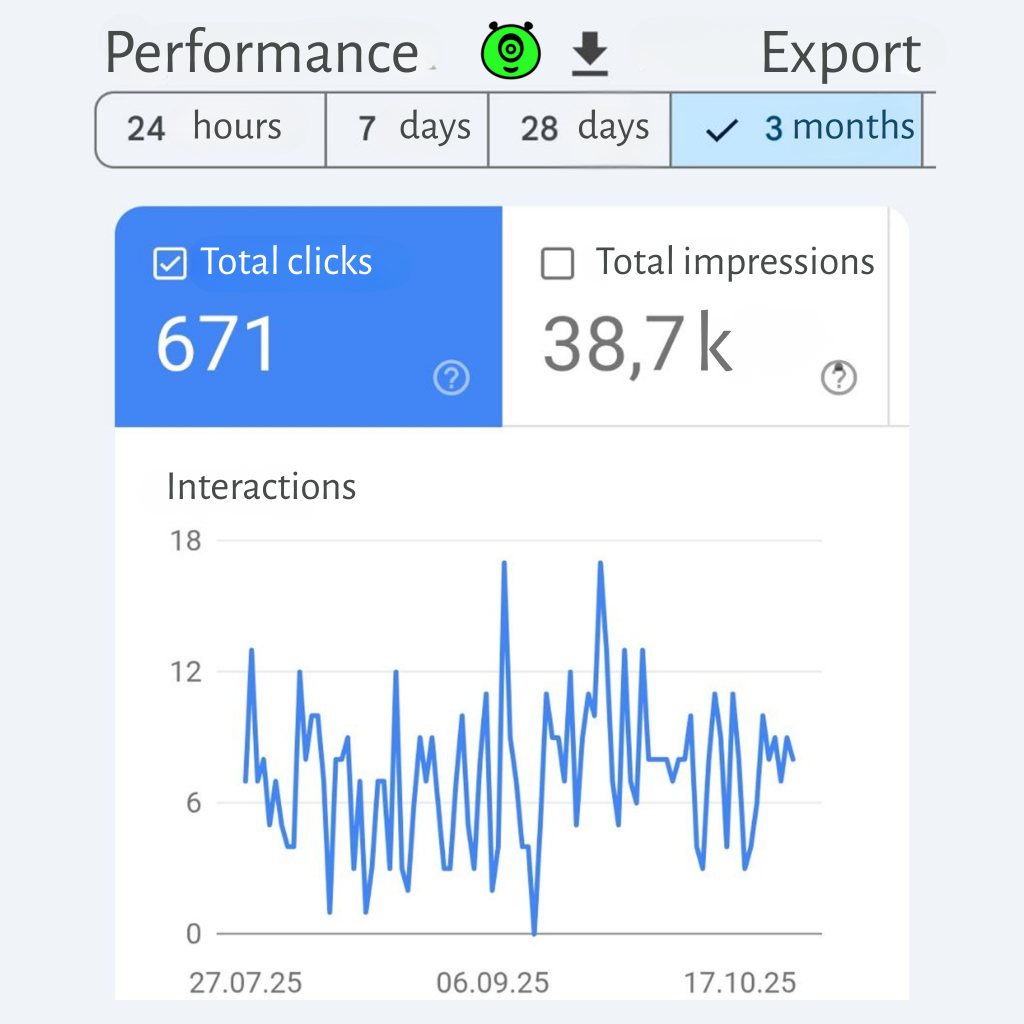
This is probably the most interesting and important section for marketers and website owners. “Search results,” specifically “Performance”. Here, you can see how your website performs in Google search.
The report contains four key metrics, but its main value lies in its flexible filters and data grouping.
How to analyze:
- Set the period. Look at the dynamics over 3 or 6 months to see trends rather than momentary spikes.
- Group by queries. Find out which specific words people are using to find you. You may discover unexpected keywords that are worth using more actively in your content. For example, you sell sneakers, but people find you by searching for “how to choose comfortable running shoes”. This is a signal that you should create a relevant article.
- Group by pages. See which of your web pages is the most popular in search. Perhaps your home page has fewer clicks than a blog article. This is information to consider when redistributing your focus.
- Analyze by search type. See how your site performs in “Images” and “News” (if you have them). This can open up new sources of traffic.
What should you do?
You see that one of your pages ranks high (for example, 3rd place) for an important query, but has a very low CTR (1%). This means that although Google ranks the page highly, users are not clicking on it. The reason often lies in an awkward title or meta description in the search results. You can rewrite them, make them more attractive, add numbers, a call to action, and after a while, the CTR will increase, and with it, the position may rise. This report is an invaluable source of ideas for content and website promotion strategy.
Section 3: active management of improved results
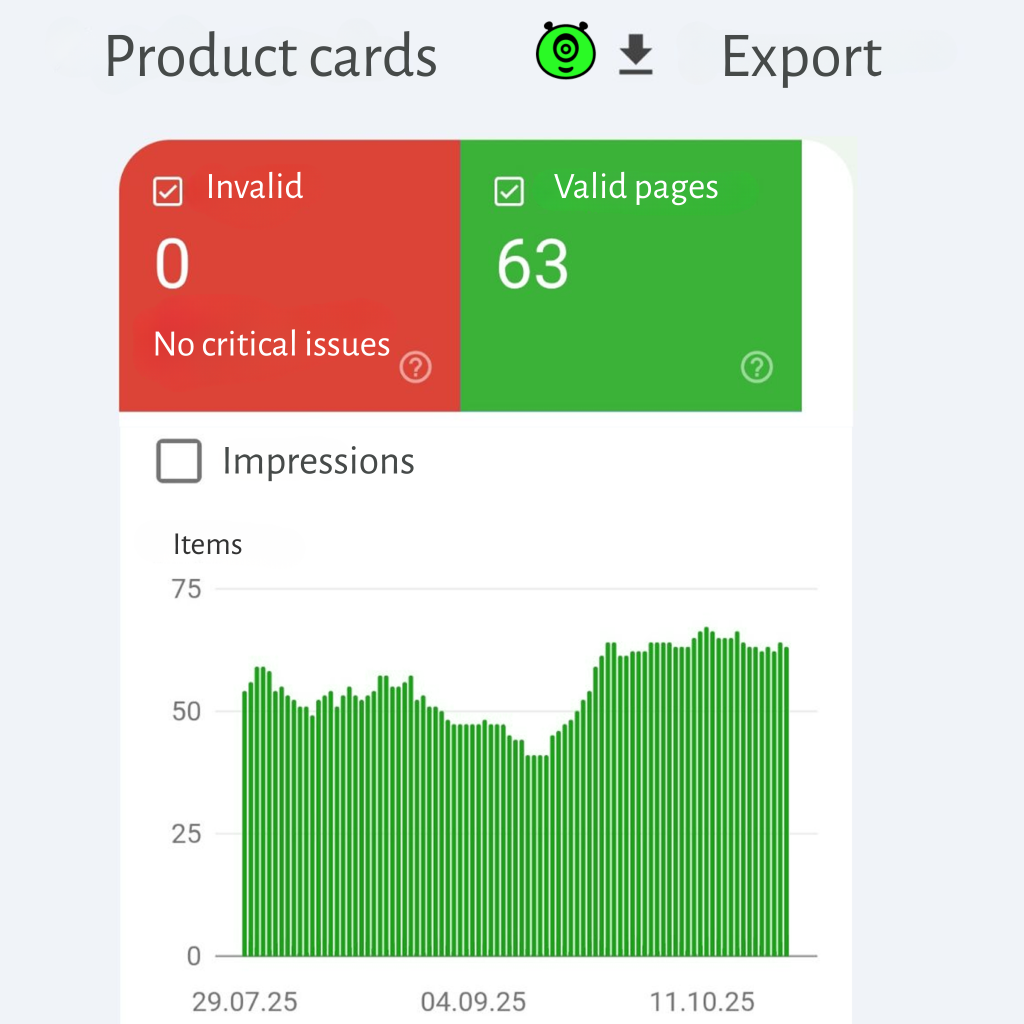
Modern Google search is not just “blue links”. It is entire blocks of information that can take up half the screen. In the “Search Results”, “Impressions”, and “Enhanced Results” sections, you can see what types of extensions your site appears with and whether there are any errors.
The most common types are:
- Navigation chains: help users navigate the site.
- Frequently asked questions (FAQ): a block with questions and answers that can appear directly in the search.
- Articles: special markup for news and blog posts.
- Videos: if you have a video on your page, correct markup will help it appear in video search results.
If GSC shows errors in this section (for example, “incorrect data format” for FAQ), it means that Google cannot display your markup correctly. Correcting these errors is a direct path to improving visibility and increasing CTR.
Section 4: Sitemap, Core Web Vitals, and Security
Sitemap files
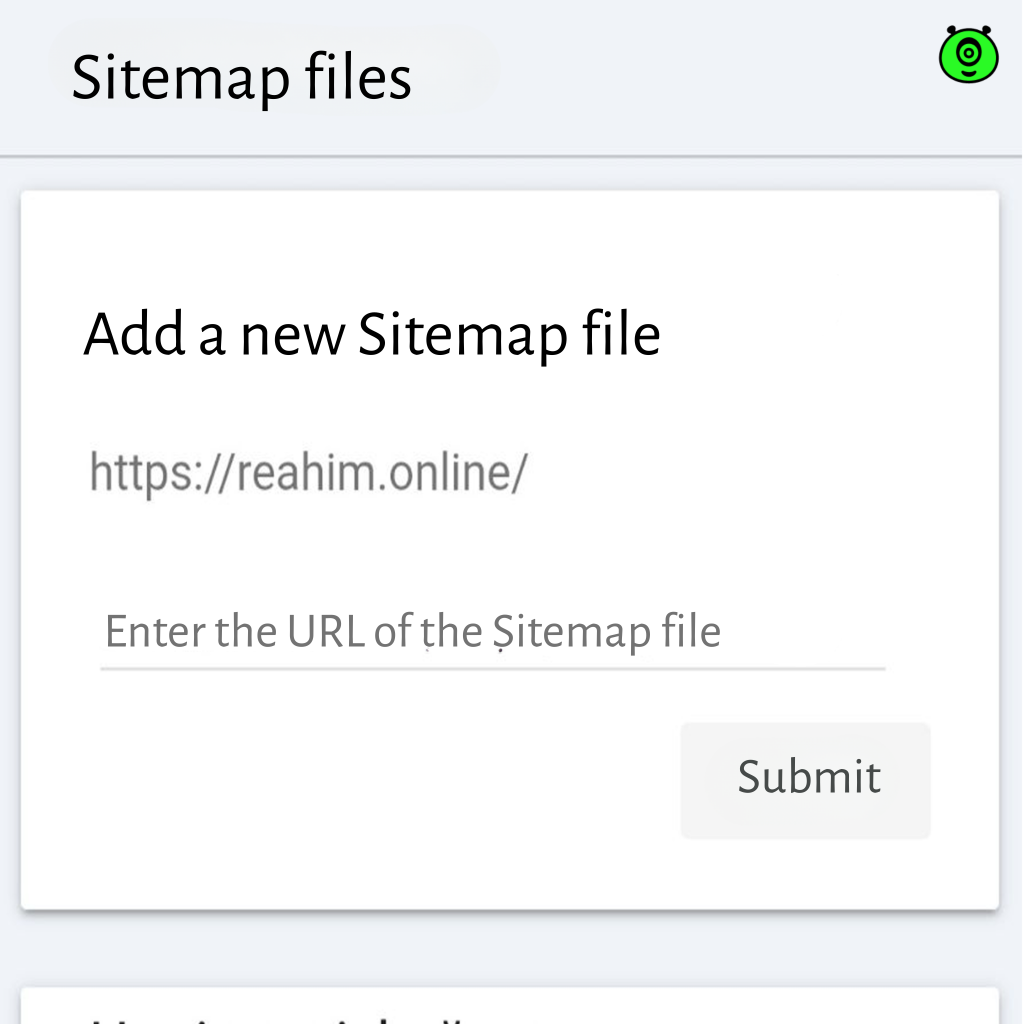
This is a file where you literally show Google a map of your site, a list of all important pages. This is not a guarantee of indexing, but a strong recommendation. You can add your sitemap.xml in the “Index” section, specifically “Sitemaps”. Just enter your sitemap URL and submit it. GSC will show statistics: how many URLs were added and whether there were any errors. If you’ve added new pages, there’s no need to resubmit your sitemap, Google will recheck it automatically.
Core Web Vitals
These are key indicators of your site’s speed and usability, which are officially a ranking factor. The “User Experience” section, specifically “Core Web Vitals”, shows how your site “feels” to visitors.
- LCP (Largest Contentful Paint): the time it takes to load the largest content on the screen.
- FID (First Input Delay): the delay before the first interaction (for example, when a user clicks on a button).
- CLS (Cumulative Layout Shift): visual stability (whether elements on the page jump during loading).
If there are problems here (marked in red), it is a direct signal that something is wrong with your site, and this may hinder your website promotion. Problems are often solved at the code level (image optimization, use of more efficient caching, elimination of “heavy” JavaScript), so you may need the help of developers.
Security and violations
This section will notify you if Google detects malicious code (viruses, spyware) or signs of hacking on your site. Hopefully, you won’t encounter this, but you can’t ignore this section. Regular checks are your insurance.
Practical plan: how to fit Google Search Console into your daily schedule
To make things easier, here is a simple but effective plan:
- Weekly (5-7 minutes):
- Go to the “Performance” report. Quickly assess the dynamics of clicks and impressions.
- Check “Coverage” and make sure there are no new critical errors.
- Monthly (30-40 minutes):
- Analyze queries in more detail. Find 3-5 new ideas for articles or improvements to existing content.
- Carefully review the “Improved Results” report. Correct all identified errors in the markup.
- Look at Core Web Vitals to track the overall trend. Are the metrics improving?
- Conduct an analysis of competitors’ sites (at least a superficial one) and compare them with your metrics.
- After any major site updates:
- Be sure to check “Coverage” for new errors. Often, after a redesign or structural change, broken links appear.
- Resubmit your sitemap to notify Google of the changes more quickly.
When should you turn to professionals who are familiar with Google Search Console?
If you see something in GSC that you don’t understand (for example, mass page drops from the index for no apparent reason, serious and persistent speed issues, complex technical errors), or if you simply don’t have time for in-depth analysis, then the rational solution would be to contact a digital agency that specializes in technical SEO.
They will be able to conduct a full audit, find the root causes of the problems, and propose a specific plan for correction. This is especially relevant for large resources or if you have complex types of sites, such as online stores, marketplaces, or information portals with thousands of pages. Their expertise in SEO website promotion can save you months of independent experimentation.
Conclusion: Google Search Console is your strategy assistant
Google Search Console is a tool designed not only for technical specialists. It is your eyes, ears, and part-time advisor in the world of Google. Its main advantages are that it is free, powerful, and gives you invaluable information that other people pay a lot of money for.
Show it your website, experiment with filters, and explore each section. The worst thing you can do is ignore this tool. The best solution is to make it your daily assistant when working with your website. Start today, and in a month you will definitely know much more about your website and how to manage its success in search engines.
Want to order a website? Our specialists have extensive experience and understanding of all the important factors. Contact us. We are the SELECTOR.SPACE team, and we will be happy to help and advise you. More interesting publications can be found on our blog. You can contact our digital agency by calling 066 389 02 24, 096 81 00 132 or by emailing office@selector.space.
You can also follow us on Instagram, Facebook, TikTok, YouTube, and Pinterest.